

You hit a great shot at the range, but how far did it really go? Was your clubhead speed faster than the last swing? Without data, practice can feel like pure guesswork, leaving you unsure if you’re actually improving. A phone launch monitor app promises to solve this problem, turning the smartphone you already own into a powerful analysis tool. But with so many options flooding the app store, it’s tough to know which ones are accurate and which are just toys. This guide cuts through the noise. We'll break down how these apps work, what to look for, and how they stack up against dedicated devices.
Key Takeaways
- Know What Phone Apps Can (and Can't) Measure: Phone apps are great for getting a general sense of your ball speed and launch angle, but they struggle to accurately track complex data like spin rate and carry distance, which are vital for true game improvement.
- Look Beyond the "Free" Download: The most useful features in launch monitor apps, such as tracking carry distance, are almost always locked behind a monthly or annual subscription, so factor that recurring cost into your decision.
- Choose Your Tech Based on Your Goals: An app is a fantastic, low-cost tool for casual practice and getting basic feedback, but if you're serious about lowering your handicap, you'll need the reliable and precise data that only a dedicated launch monitor can provide.
How Do Phone Launch Monitor Apps Work?
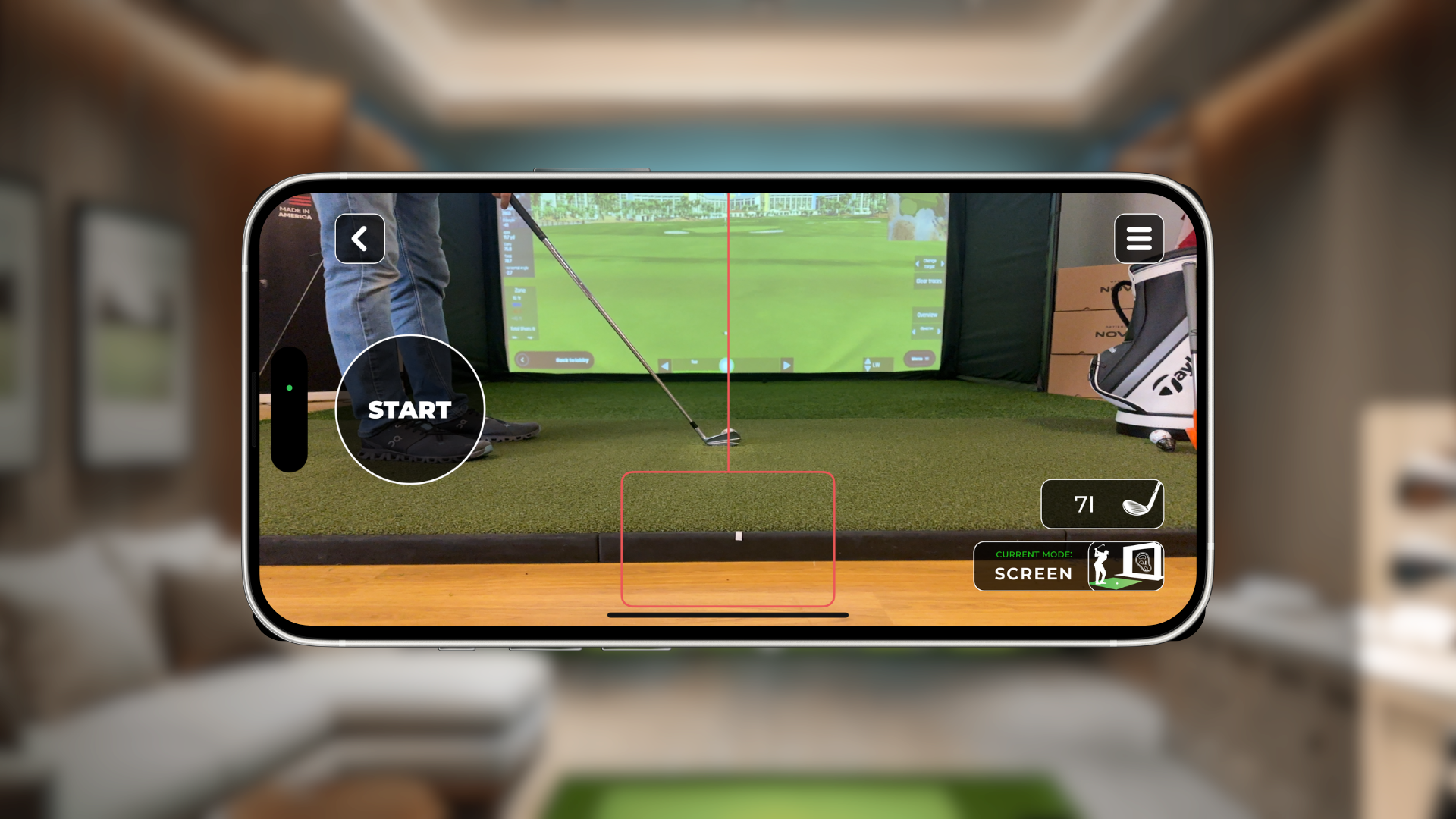
It might sound complex, but the way phone launch monitor apps work is actually quite straightforward. They use the high-speed camera already built into your smartphone to record and analyze your swing and the golf ball's initial flight. Think of it as turning your phone into a smart, pocket-sized golf coach.
Here’s the breakdown: you position your phone on a tripod to get a clear, stable view of your hitting area. This step is crucial—a shaky phone will lead to inaccurate data, so propping it up on your golf bag won’t cut it. Once you’re set up and ready to swing, the app uses your camera to capture the moment of impact. In that split second, the software analyzes the video to track the ball’s movement.
From that short clip, the app calculates a surprising amount of data. You’ll get instant feedback on essential metrics like ball speed, clubhead speed, launch angle, and carry distance. While they don’t typically measure spin rate with the same precision as a dedicated device like the RSG Mobile, these apps provide the core numbers you need to understand your shots better. Many also include features like video playback with slow-motion, allowing you to review your form and see exactly what’s happening with your swing. It’s a simple yet powerful way to get real-time analysis without investing in expensive equipment.
The Best Phone Launch Monitor Apps for Your Game
Sorting through the different launch monitor apps can feel like a chore, but finding the right one can give you incredible insight into your swing. These apps use your phone’s camera to track key data points, offering a super accessible way to start analyzing your performance. Just a few years ago, getting this kind of data required equipment that cost tens of thousands of dollars. Now, you can get powerful feedback right from your pocket. While they may not replace a dedicated launch monitor for the serious pro, they are fantastic tools for practice and identifying areas for improvement. Let's look at some of the best options available to help you find the perfect fit for your game.
RSG Mobile: Get Pro-Level Data Without the Pro-Level Price
If you’re looking for a powerful, all-in-one experience, RSG Mobile is designed to give you the data you need without the hefty price tag. It transforms your phone into a smart launch monitor, tracking everything from ball speed and launch angle to club path. The app pairs seamlessly with our simulators, but it also works as a standalone tool for the driving range. We built it to make pro-level analytics accessible to every golfer. Instead of spending thousands, you can get actionable feedback right on the device you already own. It’s the perfect entry point for anyone who wants to get serious about their numbers and see real improvement in their game.
Shot Vision: Analyze Your Swing with AI
Shot Vision uses your phone’s camera and a bit of AI magic to analyze your swing. It’s a great option if you want to dip your toes in the water without a financial commitment. The free version of the app gives you some solid foundational metrics, including ball speed, club head speed, and launch angle. However, to see your carry and total distance, you’ll need to upgrade to the paid subscription. It’s a straightforward app that does a good job of capturing the basics, making it a popular choice for golfers who want a quick analysis during a range session.
Golfboy: Track Every Aspect of Your Launch
For iPhone users, Golfboy is an impressive app that turns your phone into a full-featured launch monitor with just a simple tripod setup. It provides real-time data on a wide range of metrics, giving you instant feedback on every shot. The app is known for its user-friendly interface and detailed shot analysis, which includes video playback of your swing. It’s designed to be intuitive, so you can spend less time fiddling with settings and more time focused on your practice. You can find the Golfboy app on the App Store to see if its features align with your practice goals.
V1 Golf: Perfect Your Form with Video Analysis
V1 Golf has been a leader in video swing analysis for years, and its app is a testament to that legacy. While it tracks key data points, its real strength lies in its video tools. The app allows you to record your swing and review it with slow-motion playback and drawing tools to analyze your form. You can even compare your swing side-by-side with a library of professional golfers. For visual learners who want to understand the mechanics of their swing, the visual feedback from V1 Golf is incredibly valuable. It helps you see exactly what your club is doing at impact.
OnForm: Go Beyond Golf with Multi-Sport Tracking
If golf isn't the only sport you're passionate about, OnForm is a versatile app worth checking out. It’s a powerful video analysis and coaching tool designed for multiple sports, including golf, baseball, and track and field. You can record your swing, mark up your videos, and even share them with a coach for remote feedback. While it’s not a dedicated launch monitor in the same way as the others, its robust video analysis features make it an excellent tool for anyone focused on improving their form and technique. It’s a great option for athletes who want one app to handle all their training needs.
What to Look For in a Launch Monitor App
With so many apps on the market, it’s easy to get lost in a sea of features and promises. So, what should you actually be looking for when you download a launch monitor app? While some features are nice-to-haves, others are absolute essentials for getting useful feedback on your swing. The goal is to find an app that gives you clear, actionable data you can use to improve your game, whether you’re practicing at the range or in your living room.
A great app balances powerful data with a simple, easy-to-use interface. You shouldn’t need a degree in physics to understand your performance. The best apps present your swing data in a way that makes sense, helping you connect the numbers to the real-world feel of your swing. We’ll break down the key features to look for, from the must-have metrics to the more advanced data points that can give you a competitive edge. This will help you choose an app, like our own RSG Mobile, that fits your practice style and goals.
The Essential Swing Metrics
Before you get caught up in fancy graphics or social features, make sure the app delivers the fundamental data. These are the non-negotiable numbers that form the foundation of any good swing analysis. Look for an app that clearly displays ball speed, clubhead speed, launch angle, and carry distance. These core metrics tell the basic story of every shot you hit.
Ball speed and clubhead speed show you how efficiently you’re transferring energy to the ball, while launch angle tells you if you’re getting the ball into the air effectively. Carry distance is the payoff—it shows you how far the ball traveled before it hit the ground. Without these essentials, you’re just guessing.
Accurate Distance Tracking
Knowing how far you actually hit the ball is one of the biggest reasons to use a launch monitor app. Consistent, accurate distance tracking for both carry and total distance is crucial for gapping your clubs and building confidence on the course. While many phone-only apps claim to be highly accurate, their performance can vary based on your phone’s camera and the lighting conditions.
For the most reliable information, it’s best to use an app that works with a separate launch monitor device. While a phone app is a great starting point, pairing it with dedicated hardware provides a much higher degree of accuracy. If you find yourself questioning the numbers from a phone-only app, it might be time to look into dedicated launch monitors for more dependable data.
Video Replay and Analysis
Data is great, but seeing is believing. One of the most powerful features a launch monitor app can offer is video replay of your swing. The ability to watch your swing in slow motion, frame by frame, is a game-changer for self-correction. Many apps automatically record your swing and sync the video with your shot data, so you can see exactly what your body was doing at the moment of impact.
Some apps even let you draw lines and angles on your video to check your swing plane or posture. This visual feedback is incredibly valuable for identifying flaws you can’t feel. It helps you connect the numbers on the screen to the physical movements you’re making, speeding up your learning curve.
Advanced Data Points like Smash Factor and Spin Rate
Once you have a handle on the basics, you might want to dig deeper into more advanced metrics. Smash factor (ball speed divided by clubhead speed) is a great indicator of how purely you’re striking the ball. A higher smash factor means you’re making solid contact and transferring energy efficiently. Spin rate is another critical metric, especially for shaping shots and controlling the ball on the green.
However, this is where many phone-only apps fall short. Accurately measuring spin requires sophisticated technology that a phone camera often can’t provide. If you’re serious about dialing in your spin numbers, you’ll likely need a dedicated device like the RSG Pro that’s built specifically for capturing that kind of detailed data.
How Accurate Are Phone Apps vs. Dedicated Devices?
Let’s get straight to the point: a phone app will never be as accurate as a dedicated launch monitor. While it’s amazing that you can get swing data from the device in your pocket, it’s important to understand the trade-offs. You’re swapping the precision of specialized hardware for the convenience of an app. For some golfers, that’s a perfectly fine exchange. But if you’re serious about tracking your progress and dialing in your numbers, you need to know what you’re giving up. The real question is whether the data from a phone app is accurate enough to actually help your game.
The core issue isn't whether phone apps work—they do, to an extent. The real question is whether the data they provide is accurate enough to actually help your game. A casual player looking for general feedback might find an app useful. But if you're trying to shave strokes off your handicap, test new equipment, or build a consistent swing, you need data you can trust completely. This section will break down the key differences in accuracy so you can decide which tool is right for your goals. We'll look at the technology itself, where apps tend to fall short, and how much those small inaccuracies can impact your practice sessions.
Understanding the Technology's Limitations
The core difference comes down to the hardware. Your phone’s camera is a modern marvel, but it wasn’t designed to be a scientific instrument for tracking the high-speed physics of a golf swing. Phone apps use your camera’s standard frame rate and algorithms to estimate what the ball and club are doing. In contrast, a dedicated launch monitor device uses high-speed cameras, infrared sensors, or Doppler radar—technology built specifically for one purpose: to measure club and ball data with incredible precision. For the most reliable information, you need a system designed for the job, which is why many of the best apps are built to work with an external launch monitor.
Where Phone Apps Shine (and Where They Don't)
Phone apps can be surprisingly good at capturing basic metrics. Many users find they are "pretty accurate" for things like ball speed and launch angle, which can give you a general sense of your strike quality. However, their weaknesses become clear when you look at more complex data points. For example, many free apps don’t provide carry or total distance, arguably the most important numbers for course management. Even when they do, the accuracy can be questionable. Spin rate is another metric that phone cameras struggle to capture, yet it’s essential for understanding ball flight and shot shape.
How Your Environment Affects Accuracy
Getting usable data from a phone app depends heavily on a perfect setup. Because the app relies on your camera, lighting is everything. A shadow, a glare, or a dim room can throw off the readings completely. You also have to be meticulous about camera placement, ensuring the angle and distance are exactly what the app requires. This can be tricky to replicate consistently, especially if you’re moving between the range and your garage. A controlled indoor environment helps, but it doesn’t eliminate the inherent limitations of the phone’s camera. Dedicated devices are engineered to perform reliably under specific conditions, removing much of the environmental guesswork.
Does the Accuracy Gap Really Matter for Your Game?
So, does a 10-yard difference in carry distance matter? Absolutely. If you’re using a launch monitor to improve your game, you need data you can trust. As reviewer Rick Shiels noted, numbers that are inconsistent—sometimes off by as much as 30 yards—are not helpful for club fitting or understanding your yardage gaps. Inconsistent data can lead you to make the wrong swing changes or purchase the wrong equipment. If you just want a fun way to see your swing on video, a phone app is great. But if you need a serious training tool that provides reliable feedback, the accuracy gap is too significant to ignore.
What's the Real Cost of a Launch Monitor App?
While many launch monitor apps advertise themselves as "free," it's smart to look closer at what that really means for your wallet. The initial download might not cost you a dime, but accessing the features that actually help you improve your game usually comes with a price tag. From subscription fees to hidden hardware needs, let's break down the true cost of using a phone app as your launch monitor.
Free vs. Premium: What Do You Actually Get?
Most launch monitor apps operate on a freemium model. The free version is designed to give you a taste of what the app can do, but it often holds back the most valuable data. For example, an app might show you ball speed and clubhead speed for free, which is interesting, but not enough to truly analyze a shot. The key metrics you need for meaningful practice, like carry distance and total distance, are typically locked behind the premium paywall. Before you invest time setting up a free app, check exactly which data points are included.
Breaking Down the Monthly Costs
If you decide to upgrade to a premium version, you’ll likely face a monthly subscription fee, often around $7. This fee unlocks the app's full potential, giving you access to all the data points, video swing analysis, and sometimes even virtual courses. While this monthly cost seems small, it adds up over time. It’s worth comparing this recurring expense to the one-time cost of dedicated launch monitors, which can offer more accuracy and features without a monthly commitment. Think about how often you’ll practice and decide if a subscription model fits your budget.
Are Annual Subscriptions a Better Deal?
If you plan on using an app consistently, an annual subscription is almost always the more economical choice. Many developers offer a significant discount for paying upfront for a full year. For instance, an app that costs $7 per month ($84 per year) might offer an annual plan for around $40 or $50. That’s a saving of nearly 50%. If you’ve tried the free version or a monthly plan and are confident that the app is the right tool for you, committing to a yearly subscription can save you a good amount of cash.
Watch Out for Hidden Fees and Device Requirements
The subscription fee isn't always the final cost. First, check the technical requirements. Many of these apps require a newer smartphone with a high-quality camera to function correctly—some specify an iPhone 8 or newer. If your phone is a few years old, you might need to factor in an upgrade. Second, you’ll almost certainly need a tripod to position your phone correctly for accurate readings. These extra costs can turn a "cheap" solution into a more significant investment. Systems like the RSG Mobile are designed as a complete package, ensuring you have everything you need.
What Real Golfers Are Saying
It’s one thing to read about features, but it’s another to hear from golfers who are actually using these apps on the range and in their homes. We dug through reviews and expert opinions to get a clear picture of what you can expect when you turn your phone into a launch monitor. Here’s the honest feedback on what works, what doesn’t, and whether these apps can truly make a difference in your game.
How Reliable is the Distance Tracking?
This is the big question, right? For the most part, users find that the distance tracking is surprisingly solid, especially for a tool that fits in your pocket. Many reviews point out that metrics like ball speed, launch angle, and carry distance are "pretty accurate" compared to what you’d see on more expensive devices. However, there's often a catch. Some apps reserve the most important numbers, like carry and total distance, for their paid subscription tiers. So while the core technology is capable, you might need to upgrade to see the data that matters most for gapping your clubs.
The Common Problem with Spin Rate Data
If you’re looking for precise spin rate data, a phone app might leave you wanting more. This is a common limitation across the board, as it’s incredibly difficult for a standard phone camera to capture the revolutions of a golf ball accurately. Some apps don’t even attempt to provide spin data, while others offer estimates that can vary wildly from what a high-end launch monitor would report. For many players, especially those practicing with range balls where spin is inconsistent anyway, this isn't a dealbreaker. But if spin is a critical metric for you, a dedicated system like the RSG Pro is a more reliable choice.
Is It Easy to Set Up and Use?
The good news is that most golfers find these apps incredibly simple to get up and running. The process usually involves positioning your phone on a small tripod a specific distance from the ball. Some app developers even sell custom tripods to make placement completely foolproof. While the setup itself is easy, getting it just right is key to getting accurate data. Taking a few extra moments to ensure your phone is stable and correctly aligned will pay off in the quality of the feedback you receive. If you ever run into issues, having access to great technical support can make all the difference.
Will You See Real Improvement?
Ultimately, this is what it all comes down to. Can an app actually help you lower your scores? The consensus is a resounding yes. The power of these apps lies in the instant feedback they provide. Seeing your numbers immediately after a shot helps you connect a specific feel to a specific result, allowing you to make adjustments on the fly. For golfers practicing indoors or anyone on a budget, these apps offer a fantastic way to track key metrics and practice with purpose. Seeing your numbers trend in the right direction is a huge motivator and a clear sign that your hard work is paying off, a sentiment echoed in many golfer reviews.
How to Set Up Your Phone for the Best Results
Getting reliable data from a phone launch monitor app isn't as simple as just hitting record. Your setup is everything. The app uses your phone's camera to track the ball, so how you position your phone, the lighting you use, and how you calibrate the app will make or break your results. Think of it like setting up for a perfect shot—a little attention to detail beforehand makes all the difference.
To get the most accurate readings, it's crucial to set up your launch monitor correctly. Factors like lighting, whether you're indoors or outdoors, and where you place your device can all affect how well it works. Taking a few extra minutes to get these elements right will save you from the frustration of seeing wildly inconsistent numbers. Let's walk through how to create the ideal environment for your app to do its job.
Perfect Your Camera Angle and Lighting
The camera is the heart of any phone launch monitor app, so giving it a clear, consistent view is your top priority. You’ll want to set up your phone on a tripod to get an unobstructed view of the ball's flight path right after you hit it. Most apps have a specific setup guide, and some even recommend their own tripods to ensure you have the correct height and distance from the ball. Follow these guides closely. Good lighting is just as important. Avoid shadows over the ball and try to have bright, even light so the camera can easily track the ball against the background.
Tips for Setting Up Indoors vs. Outdoors
Your environment plays a huge role in accuracy. If you’re practicing indoors, you have the advantage of controlling the lighting. Make sure your space is well-lit from the front, not behind, to avoid silhouettes. You’ll also need enough room for a full swing without feeling cramped. If you're serious about your indoor practice, creating a dedicated space with a quality net and mat is a game-changer. You can even build your own golf room to create the perfect, consistent environment for training. When you’re outdoors, you’ll have to contend with changing light and uneven ground. Try to practice when the sun isn’t creating harsh shadows, and always make sure your tripod is stable and level.
Why You Need to Calibrate Your App
Don't just download the app and start swinging. Most apps require some initial calibration to get dialed in to your specific environment. This process tells the app what to look for and helps it distinguish the ball from the background. You might need to play around with settings like "ball amplification" or other calibration tools to get the most accurate numbers for your setup. It might take a few tries, but this step is essential for tuning the app to your lighting, your phone's camera, and even the color of your golf balls. Skipping calibration is a surefire way to get data you can't trust.
Common Setup Mistakes to Avoid
The most common reason for inaccurate readings is a poor setup. A wobbly phone, incorrect camera angle, or bad lighting will almost always lead to unreliable data, especially for metrics like carry distance. Another mistake is placing the phone too close or too far from the ball—always check the app’s recommended distance. Finally, don’t forget to make sure your phone is perfectly parallel to your target line. If the camera is angled even slightly, it will misinterpret the ball's launch direction. If you’ve double-checked your setup and the numbers still feel off, it might be a limitation of the app itself. For truly reliable data, you may want to compare launch monitors that use more advanced tracking technology.
Can a Phone App Actually Improve Your Game?
The idea of turning your smartphone into a high-tech launch monitor is pretty compelling. For just a few dollars a month, or even for free, you get access to swing data that used to require thousands of dollars in equipment. But the big question is, can an app truly help you get better at golf? The answer is yes, but it comes with some important caveats. These apps can be fantastic tools for gaining a general understanding of your swing, but their effectiveness really depends on your goals, how you use them, and your willingness to accept their limitations.
For many golfers, the instant feedback from an app is a game-changer compared to practicing without any data at all. Seeing an estimate of your clubhead speed or ball speed after a shot can help you connect the feeling of your swing to a tangible result. However, if you’re a serious player looking to fine-tune your mechanics based on precise data, you might find that a phone app creates more questions than answers. It’s all about understanding what these apps do well and where they fall short, so you can decide if one fits into your practice routine.
Setting Expectations for Casual vs. Serious Players
If you’re a casual golfer who wants to have a little more fun at the driving range, a phone app can be a great companion. Many apps promise the accuracy of expensive launch monitors for a fraction of the price, and for general numbers, they can get surprisingly close. You’ll likely get a decent estimate of your ball speed and clubhead speed, which is often enough to see if you’re making progress. It’s a solid step up from guessing.
However, if you’re a serious player dedicated to lowering your handicap, you need data you can trust completely. This is where phone apps often struggle. While some metrics might be "not bad," others, like spin rate and carry distance, can be inconsistent. Making swing adjustments based on unreliable data can do more harm than good, sending you down a rabbit hole of fixes for problems you don't actually have.
Pairing Apps with Other Devices for Better Data
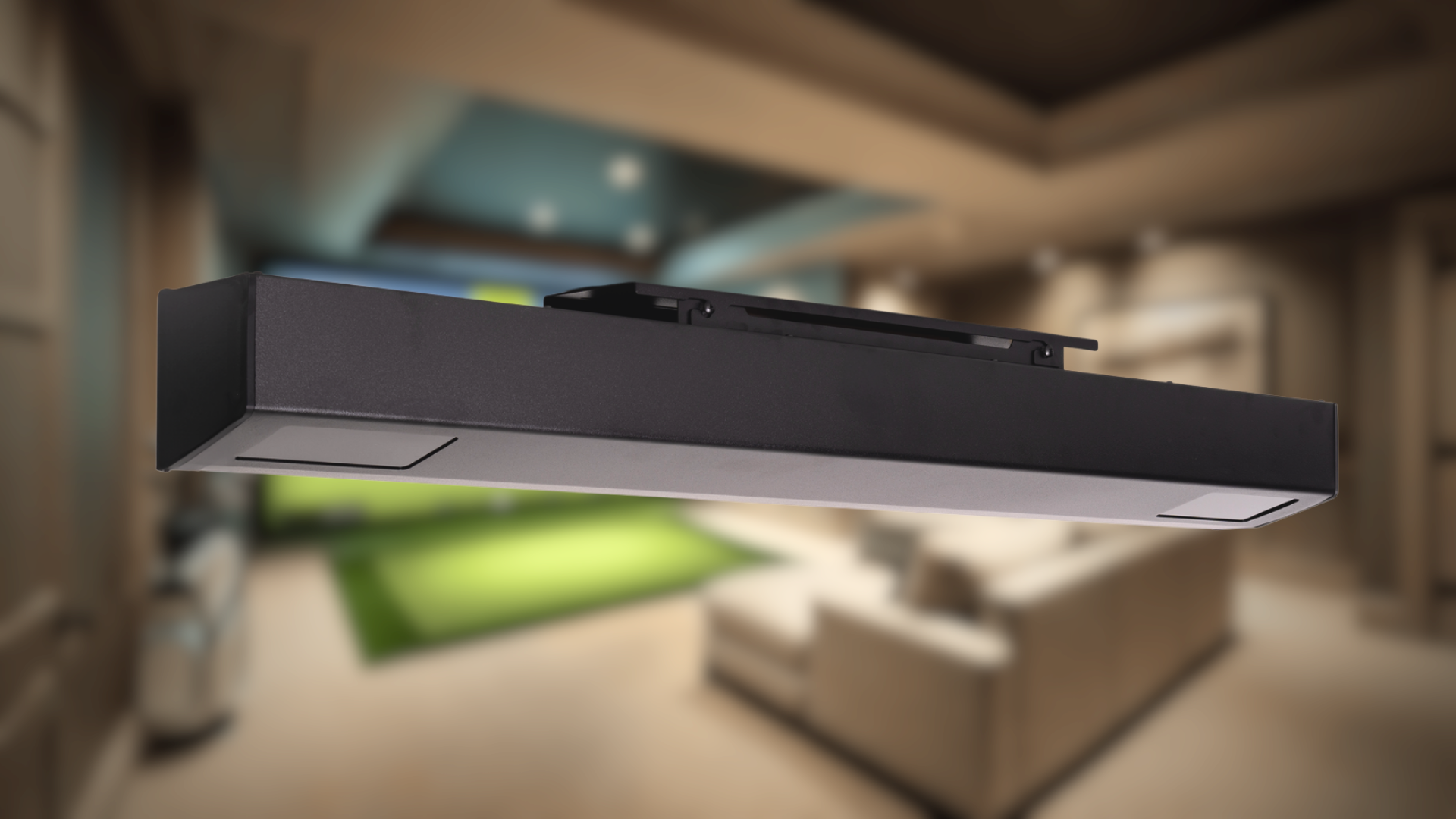
So, what’s the middle ground? Many golfers find the best results when they use an app that works with a separate, dedicated launch monitor. This approach gives you the best of both worlds: a user-friendly interface on your phone paired with the precision of hardware designed specifically to capture swing data. While standalone apps that only use your phone's camera are clever, they simply can't match the accuracy of a system that uses infrared or Doppler radar.
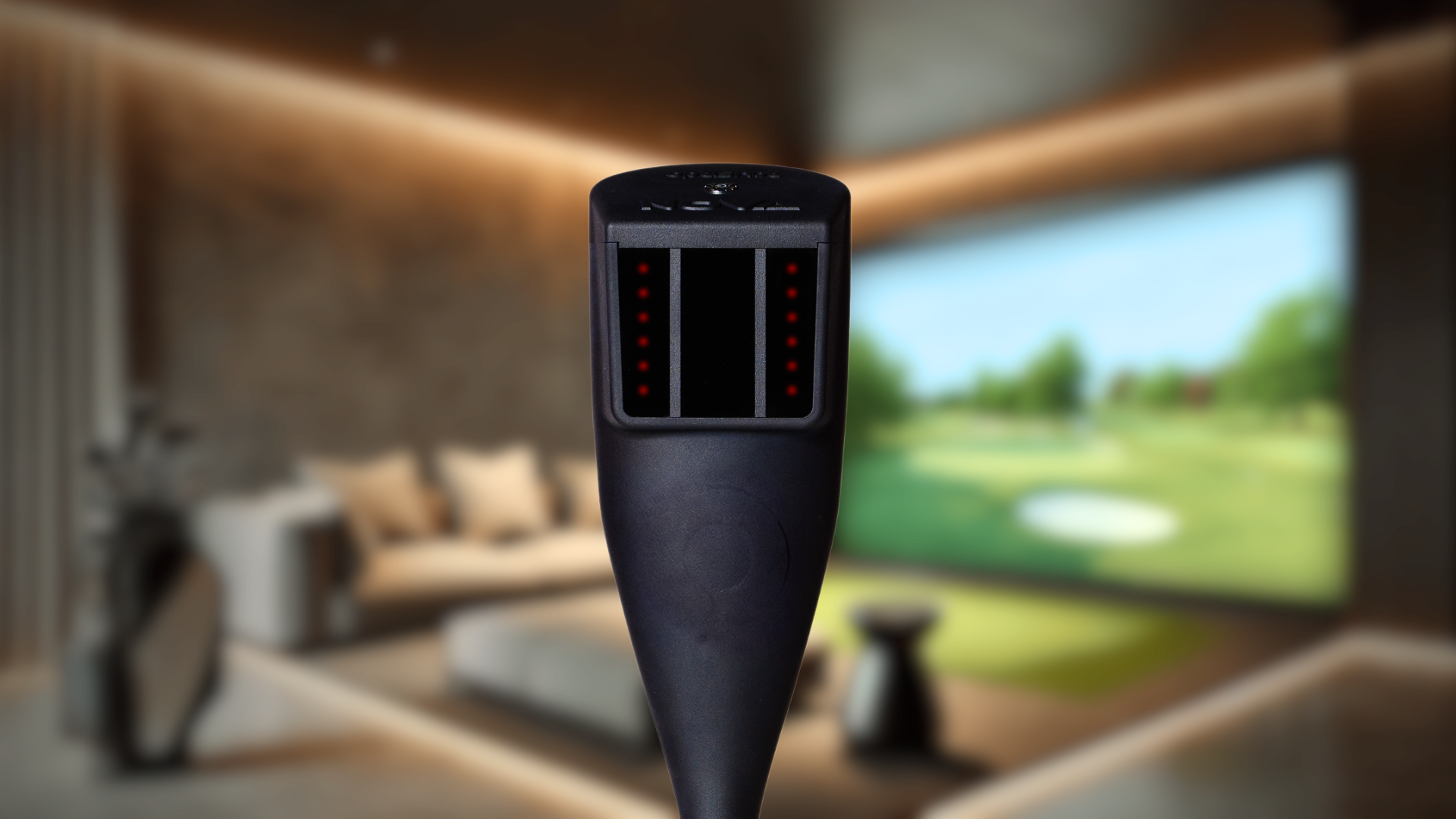
For the most reliable information, you’ll want to connect your app to a device built for the job. A dedicated unit like the RSG One provides the pinpoint accuracy you need for metrics like spin axis and launch angle, while the app presents that data in an easy-to-digest format. This combination ensures the numbers you’re seeing are a true reflection of your swing.
The Pros and Cons for Your Practice Sessions
Let’s break down what a practice session with a phone app really looks like. On the plus side, the convenience is undeniable. You can get instant feedback on your shots right from your phone, allowing you to make quick adjustments on the fly. It’s lightweight, portable, and gets you thinking more critically about your swing metrics without a major investment.
On the other hand, there are some practical downsides. Using your phone’s camera and processor intensively can cause it to overheat, especially on a sunny day at the range. More importantly, the data itself can be a major issue. Many users find that while some numbers seem right, the carry distance figures are often unreliable. If you can’t trust that number, it’s hard to build confidence in your club selection on the course.
The Final Verdict: Phone App or Dedicated Device?
So, what’s the right call for your game: a simple phone app or a dedicated launch monitor? The convenience of using the phone already in your pocket is hard to beat. For a small monthly fee, or sometimes for free, you can get a surprising amount of feedback on your swing. If you’re just starting to track your data, a premium app can be a great, low-cost way to understand your numbers without a major investment.
However, there’s a trade-off between convenience and accuracy. While many apps do a decent job estimating ball speed and launch angle, they often struggle with the metrics that truly shape your shot, like spin rate. This can lead to unreliable carry distance numbers, which might leave you practicing the wrong thing. For casual fun and general feedback, an app is a fantastic tool. But if you’re serious about improvement, you need data you can trust completely.
This is where a dedicated launch monitor comes in. These devices are purpose-built to capture precise club and ball data. In the past, this level of accuracy came with a hefty price tag, but technology has made them much more accessible. You can now find incredibly accurate launch monitors for a few hundred dollars, not thousands. For the most reliable information, the best solution is often an app that works directly with a separate launch monitor. This combination gives you the user-friendly interface of an app powered by the precision of dedicated hardware.
Ultimately, the best choice depends on your goals. If you’re a beginner or a casual player who wants basic feedback to make practice more engaging, a high-quality phone app is a great starting point. But if you’re a dedicated golfer focused on lowering your handicap, investing in a complete setup with a dedicated launch monitor will provide the accurate, consistent data you need to make real, lasting improvements to your swing.
Related Articles
Frequently Asked Questions
Do I need to buy anything else to use a launch monitor app? Yes, you'll almost certainly need a tripod. To get reliable data, your phone has to be perfectly still and positioned at a specific angle and distance from the ball. Propping it up on your golf bag won't give you consistent results. You should also check if your current smartphone meets the app's requirements, as many need a newer model with a high-speed camera to function properly.
What's the main reason a phone app isn't as accurate as a dedicated device? The difference comes down to the hardware. Your phone's camera is incredibly advanced, but it wasn't built for the sole purpose of tracking a golf ball's high-speed flight. Dedicated launch monitors use specialized technology like Doppler radar or high-speed infrared cameras that are specifically engineered to capture precise data points, like spin rate, with a much higher degree of accuracy than a standard phone camera can estimate.
Can I trust the carry distance numbers from a phone-only app? You should view the carry distance from a phone-only app as a helpful estimate rather than an exact measurement. While these apps can be surprisingly good at calculating ball speed, carry distance is a more complex calculation that often relies on an accurate spin rate, which phones struggle to measure. The numbers can give you a general idea of your performance, but for precise club gapping, you'll get more trustworthy data from a dedicated launch monitor.
Is it worth paying for a subscription if a free version is available? In most cases, yes. The free versions of these apps are designed to give you a sample of the experience, but they usually lock the most important data behind a paywall. You might get ball speed for free, but the metrics that truly help you improve, like carry distance and detailed shot analysis, are typically part of the premium subscription. If you plan to use the app for serious practice, the paid version is where the real value is.
If I'm just starting out, is a phone app a good place to begin? Absolutely. A phone app is a fantastic, low-cost entry point for any golfer who wants to start understanding their swing data. It helps you move beyond just guessing and starts connecting the feel of your swing to tangible numbers. It's a great way to make your practice sessions more focused and engaging. As you get more serious, you may find you want the greater accuracy of a dedicated device, but an app is the perfect first step.