

Every golfer eventually hits a plateau. You practice consistently, but your handicap stays the same and you can’t seem to add any more yards off the tee. The key to breaking through is often hidden in the small details of your swing mechanics. Understanding your numbers is the first step to identifying what needs to change. A golf swing speed monitor app acts as your personal diagnostic tool, capturing your swing and providing the data you need to pinpoint areas for improvement. This guide will show you how these apps work, which ones deliver the most reliable feedback, and how you can use them to make your practice sessions more effective and finally see the progress you deserve.
要点
- Use apps for visual feedback and progress tracking: They are a great, low-cost way to see your swing in slow motion, compare it to pros, and watch your general trends improve over time.
- Know that apps provide estimates, not exacts: For casual practice, an app's data is helpful, but for the pinpoint accuracy needed to make significant swing changes, you'll need a dedicated launch monitor.
- Let your goals guide your investment: Start with free app trials to find a tool you'll actually use. When your practice demands reliable data on metrics like ball speed and spin, it's the right time to invest in a launch monitor.
First Things First: What Is a Golf Swing Speed App?
So, what exactly is a golf swing speed app? Think of it as a portable swing coach that lives right on your phone. At its core, it’s an application designed to measure how fast you swing your golf club—a key metric for hitting the ball farther and more consistently. Instead of relying on guesswork or the feel of your swing, these apps give you hard data you can use to track your progress and make real improvements.
Most of these apps work by using your smartphone’s high-speed camera to record your swing. You set up your phone to capture the motion, and the app’s technology analyzes the video to calculate your clubhead speed. Many also provide instant feedback and allow you to watch a slow-motion replay of your swing, so you can see your mechanics in action. Some more advanced apps can even pair with small, external sensors that you attach to your club for even more detailed data collection.
While they might not offer the same level of precision as a dedicated launch monitor, swing speed apps are an incredibly accessible and affordable way to start analyzing your performance. They give you the insights you need to understand your swing better, whether you’re practicing at the range, in your backyard, or with an indoor setup like the RSG Mobile. It’s the perfect first step for any golfer who wants to get serious about their game without a huge initial investment.
How Do These Apps Actually Work?
It might seem like magic, but these apps use some pretty clever tech that’s already in your pocket. Most of them rely on one of three core methods: your phone's camera, external sensors, or a powerful combination of artificial intelligence and computer vision to analyze your swing. Let's break down what's happening behind the screen.
Using Your Phone's Camera
This is the most common approach. You simply set up your phone to record your swing, and the app does the rest. Using sophisticated video analysis, apps like V1 Golf can capture every frame of your movement. The software then calculates your clubhead speed, tempo, and other key metrics based on the video footage. It’s an incredibly accessible way to get instant feedback, as it doesn't require any extra equipment. Many of these apps also let you draw lines and angles over your video, giving you a clear visual of your swing plane and posture. This method turns your phone’s camera into a surprisingly powerful swing analysis tool.
Connecting to External Sensors
For those who want even more detailed data, some apps connect to small, external sensors. You typically attach these lightweight devices to your glove, wrist, or the club itself. Systems like Arccos or HackMotion use these sensors to gather precise information that a camera alone might miss, such as wrist angles, club path, and face rotation throughout your swing. This method provides a deeper layer of analytics, tracking your shots with incredible accuracy. It’s a great middle-ground between using just your phone and investing in a full launch monitor, offering comprehensive data without the higher price tag.
The Power of AI and Computer Vision
This is where things get really futuristic. Many of the top apps now use artificial intelligence (AI) and computer vision to act as a virtual coach. Apps like GolfFix and Sportsbox 3D Golf don't just measure your swing; they interpret it. The AI can automatically identify common swing flaws, like coming over the top or losing your posture, and then provide personalized drills and feedback to help you improve. By analyzing thousands of data points from your swing video, this advanced technology offers insights that were once only available through expensive, in-person coaching sessions. It’s like having a golf pro on call, 24/7.
What to Look For in a Great Swing Speed App
With so many golf swing apps on the market, it can be tough to know which one will actually help your game. The best apps go beyond simply measuring your speed; they act like a personal coach in your pocket, giving you the insights you need to make real improvements. Think of it as a digital toolkit that complements your time on the range or in your home simulator.
A great app should do more than just spit out numbers. It needs to provide context, show you what you’re doing right (and wrong), and help you track your journey from one milestone to the next. The goal is to find a tool that makes your practice sessions more efficient and effective. As you explore your options, look for a combination of key features that work together to give you a complete picture of your swing. Here are the five things every golfer should look for.
Instant Feedback on Your Swing
The single most important feature of any training app is the ability to give you immediate, actionable feedback. There’s nothing worse than practicing for an hour only to realize you’ve been reinforcing a bad habit. The right app will analyze your swing in real-time and tell you what needs to be adjusted, from your clubhead speed to your swing path. Many modern apps use AI and computer vision to analyze a video of your swing, offering detailed feedback that was once only available from a professional coach. This allows you to make small corrections on the spot, leading to faster and more sustainable improvement.
Slow-Motion Video Replay
Numbers and data points are helpful, but seeing your own swing is often the real "aha" moment. A slow-motion video replay feature is essential because it allows you to see every part of your swing in detail—from the takeaway to the follow-through. Apps like GolfFix automatically record and break down your swing, letting you see exactly where your form breaks down. This visual confirmation helps you connect the app's feedback to your physical movements. When you can see that your hips are opening too early or your club is coming over the top, it’s much easier to understand what you need to fix.
Tools to Track Your Progress
Improvement in golf doesn't happen overnight; it's the result of consistent effort. That's why progress tracking is such a vital feature. A good app will save your swing data from every session, allowing you to see trends and measure your improvement over weeks and months. Some apps even provide reports that highlight your most common swing issues and show how you’ve improved on them. Seeing your clubhead speed steadily increase or your swing path become more consistent is a huge motivator. It turns your practice from a series of isolated sessions into a structured training plan with clear goals.
An Easy-to-Use Interface
The last thing you want during a practice session is to wrestle with a complicated app. The best swing speed apps are designed to be intuitive and straightforward, so you can focus on your golf game, not the technology. You should be able to set up your phone, record a swing, and get feedback in just a few taps. For example, some apps are designed to work with just your phone and a simple tripod. A clean, uncluttered interface means you’ll spend less time navigating menus and more time hitting balls. If an app is a hassle to use, you’re simply not going to use it consistently.
Compare Your Swing to the Pros
Have you ever wondered what makes a professional golfer's swing so effective? Some of the best apps let you find out by offering a side-by-side comparison feature. This allows you to record your swing and place it directly next to a video of a pro. You can analyze the differences in posture, tempo, rotation, and impact position frame by frame. This provides a powerful visual model to work toward and helps you understand the key mechanics that generate power and accuracy. It’s one of the most effective ways to identify the specific areas where your swing can improve.
8 Top Golf Swing Speed Apps to Try
Okay, you're ready to find an app that can give you real, actionable feedback on your swing. But with so many options out there, it's tough to know where to start. I've spent time looking into the most popular and effective apps to help you narrow down the choices. This list covers everything from simple, camera-based analyzers to more advanced systems that use AI and connect with external hardware. Think of this as your curated guide to finding a digital caddie that fits in your pocket.
The right app for you really depends on your goals and how you like to practice. Are you a beginner just trying to understand the basic mechanics of your swing? Or are you a seasoned player looking for detailed data to shave a few strokes off your handicap? Some of these apps are fantastic for quick visual feedback, letting you see your swing in slow motion and compare it to the pros. Others provide hard numbers on swing speed, ball speed, and launch angle, turning your phone into a pocket-sized launch monitor. We'll cover apps that are free to start with, as well as those that require a subscription for their premium features. Each one offers a unique approach to game improvement, so let's get into the top contenders so you can find the perfect digital coach to help you play your best golf.
1. Red Stakes Golf RSG Mobile
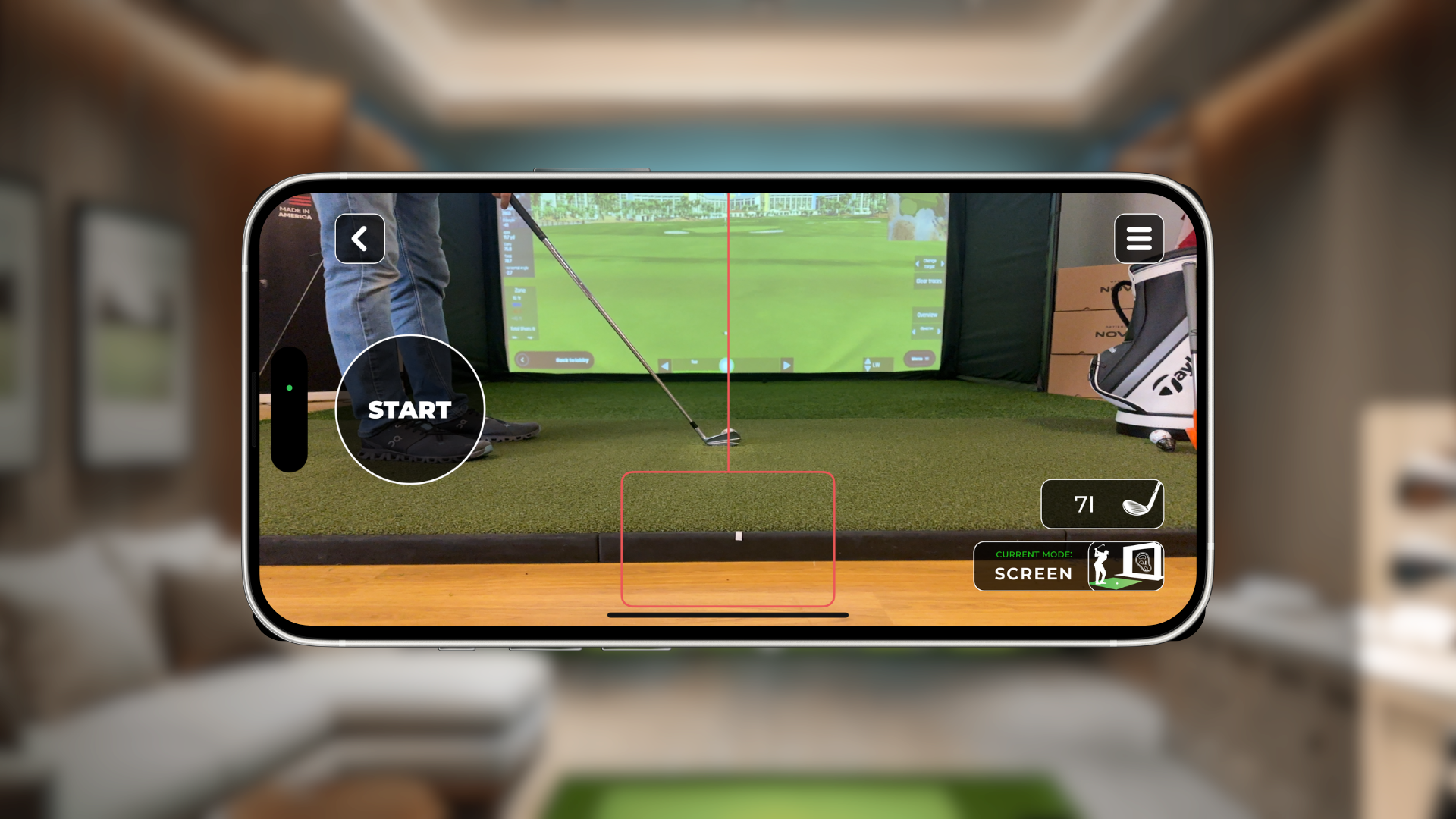
As you might expect, our own RSG Mobile app is at the top of our list. It’s designed to work seamlessly with our golf simulators, turning your practice sessions into a data-rich experience. The app connects directly to your setup, giving you instant feedback on key metrics like swing speed, ball speed, and carry distance. It’s more than just a numbers game, though. The app tracks your performance over time, so you can see exactly how your practice is paying off. Whether you're playing a full round on a world-famous course or just hitting the virtual driving range, RSG Mobile captures every shot, helping you identify your strengths and pinpoint areas for improvement. It’s the perfect companion for any Red Stakes Golf simulator owner.
2. Trackman Golf
If you’ve spent any time at a high-end driving range or indoor facility, you’ve probably seen Trackman technology in action. The Trackman Golf app brings that powerful data analysis to your phone. It’s designed to work with their industry-leading launch monitors, tracking all your activities whether you're indoors or out. The app provides a comprehensive overview of your performance, helping you understand your numbers and make your practice sessions more effective. It’s a favorite among serious golfers and professionals for its accuracy and depth of data, making it a fantastic tool for anyone committed to improving their game with precise, reliable feedback on every swing.
3. GolfFix AI Golf Swing Analyzer
Imagine having a golf coach analyze your swing anytime, anywhere. That’s the idea behind GolfFix. This app uses artificial intelligence to review a video of your swing and provide personalized coaching tips. You just record your swing, and the AI gets to work, identifying common faults and suggesting specific drills to help you correct them. It’s a great way to get immediate, actionable advice without booking a lesson. The AI-driven feedback is designed to be easy to understand, helping you make small adjustments that can lead to big improvements in your consistency and power. It’s like having a tech-savvy pro in your pocket.
4. SwingU Golf GPS & Scorecard
While SwingU is widely known for its top-tier GPS and scorecard features for on-course play, it also includes tools to help you analyze your game. The app offers a robust stats-tracking system where you can log your shots and identify patterns in your performance. After your round, you can review your data to see where you’re losing strokes. The premium version includes a "strokes gained" analysis, which compares your performance against different handicap levels. While it doesn't analyze your swing mechanics with video, it provides the hard data you need to make smarter decisions during practice and on the course. It’s an excellent all-in-one app for the data-driven golfer.
5. Golfboy Launch Monitor
Want the data of a launch monitor without the expensive hardware? Golfboy aims to deliver just that by using your iPhone’s camera. You set up your phone on a tripod, and the app’s smart image analysis technology measures your shots and analyzes your swing. It provides key data points like ball speed, launch angle, and carry distance right on your screen. It’s an incredibly accessible way to get instant feedback on the driving range or even in your backyard net. For golfers who are curious about their numbers but not ready to invest in a dedicated launch monitor, Golfboy offers a convenient and affordable starting point.
6. V1 Golf
V1 Golf is one of the original and most respected swing analysis apps on the market. Its strength lies in its powerful video tools. The app lets you record your swing and review it in slow motion, drawing lines and shapes to analyze your angles and positions. The standout feature is the ability to compare your swing side-by-side with a library of professional golfers. Seeing your motion next to a tour pro’s is an incredibly effective way to spot differences and understand what you need to work on. V1 Golf also offers access to a network of professional coaches who can provide remote lessons and drills directly through the app.
7. SwingSlapp
Similar to V1 Golf, SwingSlapp is all about visual learning and comparison. This app is designed to help you analyze your swing by placing it alongside a model swing from a professional golfer. You can record your swing in slow motion and use the app’s tools to sync the videos, making it easy to see exactly where your mechanics differ. The side-by-side view is a simple but powerful concept that provides immediate visual feedback. It helps you move beyond feeling what you’re doing wrong to actually seeing it. For visual learners, this direct comparison can be the key to finally fixing those stubborn swing faults.
8. Hudl Technique Golf
Hudl is a big name in sports video analysis, and their Hudl Technique Golf app brings that expertise to the golf world. The app is focused on detailed video breakdown. You can record your swing and use slow-motion playback, frame-by-frame analysis, and drawing tools to dissect every part of your motion. Like other top video apps, it also allows for side-by-side comparisons with pro swings. It’s a great tool for golfers who really want to get into the nitty-gritty of their swing mechanics. The app is also popular with coaches, making it easy to share videos and get feedback from an instructor.
Let's Talk About Cost: What to Expect
When you start looking for a swing speed app, you’ll find that pricing is all over the map. The good news is that there’s an option for just about every budget, so you don't have to break the bank to get useful data on your swing. The cost often reflects the depth of features you get, from basic speed tracking to detailed 3D swing analysis. Think of it like any other piece of golf equipment—you can start with something simple and effective or invest in a more advanced tool as your skills and needs grow. It's all about finding what matches your current goals.
Understanding the different pricing models is key to finding the right fit without any surprises down the road. Most apps fall into one of three categories: free versions with optional upgrades, monthly or yearly subscriptions, or a single one-time purchase. Each has its pros and cons, depending on your commitment level and how you like to manage your expenses. Deciding which is best for you really comes down to how you plan to use the app and what features are most important for your practice sessions. While it’s a much smaller investment than a full home golf simulator, it’s still worth taking a moment to find the best value for your game. Let's break down what you can expect from each payment structure.
Free Apps and Trial Versions
The best way to start is by trying a few apps without spending a dime. Many developers offer free versions or trial periods, which is perfect for testing the waters. For example, an app like SwingU gives you a great free GPS tool to get started. Other apps, like GolfFix, are free to download but keep their most powerful measurement tools behind a subscription. They’ll usually offer a free trial so you can experience the premium features and decide if they’re worth the upgrade. This no-pressure approach lets you see if an app’s interface feels intuitive and if the feedback it provides actually helps your swing.
Monthly and Yearly Subscriptions
If you find an app you love and plan to use it regularly, a subscription model is very common. This ongoing payment typically gives you access to all the premium features, cloud storage for your swing videos, and regular updates from the developer. For instance, GolfFix offers a monthly plan for around $15 or an annual plan for about $100. Another option, SwingSlapp, provides a 7-day trial before you choose between a monthly or yearly plan. Opting for an annual subscription usually saves you some money, so it’s a great choice if you’re committed to using the app for the long haul.
One-Time Purchase Options
For those who prefer to avoid recurring charges, some apps offer a one-time purchase. This is common for apps that use sophisticated AI and computer vision or those that pair with external hardware. With this model, you pay a single upfront fee and own the app and its features indefinitely. Apps like Sportsbox 3D Golf provide incredibly detailed swing analysis without a subscription. Similarly, systems that work with physical sensors often involve a one-time investment in the hardware. This approach feels more like buying a permanent piece of training equipment for your golf toolkit, much like investing in a quality launch monitor for your home setup.
Are Swing Speed Apps Accurate Enough for Serious Practice?
So, let's get straight to the point: can you really trust a phone app for serious practice? The honest answer is that while these apps are fantastic for getting a general feel for your swing, they have their limits when it comes to precision. Think of them as a helpful guide rather than a scientific instrument. They can definitely show you if you’re swinging faster today than you were yesterday, which is great for tracking general trends.
However, for golfers who are truly dedicated to dialing in their numbers, an app’s accuracy can be a bit of a sticking point. Your phone’s camera is incredible, but it wasn’t designed to be a high-precision tool for golf analytics. Factors like lighting, the angle of your phone, and even background movement can affect the reading. As many golfers in forums like The Sand Trap have discussed, the results can be inconsistent compared to dedicated hardware.
This is where the conversation shifts toward more specialized equipment. For the kind of precise, reliable data that leads to real, measurable improvement, you’ll want to look at a dedicated launch monitor. These devices use technologies like high-speed cameras or Doppler radar that are built for one purpose: to capture incredibly accurate data about your swing and ball flight.
So, what’s the verdict? Swing speed apps are an amazing, accessible tool for casual practice and getting a baseline. They can help you stay motivated and see broad changes in your swing. But if you’re at a point where every mile per hour matters and you need data you can count on session after session, it’s probably time to consider a tool that’s as serious about your game as you are.
Swing Speed App vs. Launch Monitor: Which Is Right for You?
So, you’re ready to get serious about your swing data. That’s a huge step! The big question now is whether a smartphone app is enough or if it’s time to invest in a dedicated launch monitor. Honestly, there’s a place for both, and the right choice really comes down to your personal goals, your budget, and how you plan to practice. Think about what you truly want to accomplish. Are you looking for a fun, casual way to get a ballpark idea of your swing speed, or are you committed to a structured practice plan designed to lower your handicap?
An app can be a fantastic starting point for a quick analysis and getting a general feel for your numbers. It’s an accessible entry point into the world of golf data. But if you’re looking for precision, detailed feedback, and data you can truly rely on to make meaningful changes to your game, a launch monitor is in a league of its own. It’s the difference between a rough estimate and a precise measurement. Let’s break down the key differences to help you decide which tool will best serve you on your journey to a better golf game.
Differences in Accuracy and Data
When it comes to accuracy, there’s a clear winner. While swing speed apps are incredibly clever, they are limited by the hardware they run on—your phone’s camera. They use algorithms to estimate speed and other metrics from video, but factors like lighting, camera angle, and phone model can lead to inconsistent readings. For a quick check-in, they’re fine. For serious game improvement, you need data you can trust completely. This is where dedicated launch monitors shine. They use advanced photometric or radar technology specifically designed for one purpose: to capture precise golf data. You get dead-on measurements not just for swing speed, but for crucial metrics like ball speed, launch angle, and spin rate that an app simply can’t provide reliably.
Comparing the Costs
At first glance, apps seem like the more budget-friendly option. Many are free to download, but the catch is that you’ll often need to pay for a monthly or yearly subscription to access the features you really want. These recurring costs can add up over time, turning a "free" app into a significant expense without the benefit of top-tier accuracy. A launch monitor is a bigger upfront investment, but it’s a one-time purchase for a piece of specialized equipment. Think of it as investing in a core piece of your training gear, just like a new driver. When you consider the long-term value and the quality of the data you receive, affordable simulator bundles can actually be a more cost-effective solution for a committed golfer.
Portability and Convenience
Here’s where apps have a real edge. You can’t beat the convenience of having a swing analyzer right in your pocket. All you need is your phone and maybe a small tripod, and you can get a quick reading anywhere—at the driving range, in your backyard, or even during a practice round. This grab-and-go capability is perfect for golfers who are always on the move. However, modern launch monitors are more portable than you might think. And the ultimate convenience is having a permanent practice space. Setting up an indoor golf simulator means you can play and practice anytime, regardless of the weather. You can build your own golf room and have a tour-level feedback system ready whenever you are.
Understanding the Limits of a Swing Speed App
While golf swing speed apps are fantastic tools for getting a general sense of your performance, it's important to be realistic about their limitations. Let's be clear: an app on your phone, relying solely on its camera, isn't going to deliver the same pinpoint accuracy as dedicated hardware. Most golfers and experts agree that for truly precise measurements, a phone app alone often falls short. They can give you a good ballpark figure, but they aren't designed for the kind of granular data you need for serious swing adjustments.
For that level of precision, you really need specialized equipment. This is where devices like launch monitors come into play. They use advanced radar or photometric technology specifically designed to capture every nuance of your swing and ball flight, providing data that an app simply can't replicate. While some tests have shown that certain apps can get "not far off" from what a high-end machine reports, there's still a gap in consistency and reliability.
Even with the rise of artificial intelligence, current apps have their challenges. AI is getting much better at identifying changes in your movement and swing path, which is incredibly helpful for visual feedback. However, they often struggle to accurately connect those mechanical changes to the actual outcome—like how it affects your ball flight or overall performance. As one review of AI swing analyzers points out, the technology is improving but isn't fully reliable yet. Think of these apps as a great part of your practice toolkit for tracking general progress and spotting obvious issues, but approach the numbers with a healthy dose of caution.
Making Your Final Choice
With so many options out there, picking the right app can feel like choosing the right club for a tricky shot. The best app for you really comes down to your personal goals, your practice setup, and your budget. Here’s how to narrow down the choices and find the perfect fit for your game.
Start with a Test Drive
You wouldn’t buy a new driver without hitting it first, right? The same logic applies here. Almost every great app offers a free version or a trial period, and you should absolutely take advantage of it. This is your chance to see how the app feels and performs in the real world. More importantly, be sure to test the app in the exact spot you plan to practice, whether that’s in your garage, your backyard, or at the driving range. You want to make sure it works well with your lighting and space before you commit.
Evaluate the Must-Have Features
Get clear on what you actually need the app to do. For most golfers, a few key features make all the difference. Look for an app with quality slow-motion playback so you can see every detail of your form. The ability to store and organize your swings is also crucial for tracking progress over time. Some of the most helpful apps also include visual guides, like drawing lines on the screen, and even let you compare your swing side-by-side with a professional’s. Focus on the tools that will give you the most actionable feedback.
Consider Your Tech Preferences
Think about how you want to capture your swing data. Most apps use your phone’s camera, which is incredibly convenient. Many are also incorporating AI to analyze your movement, but it’s good to remember that this technology is still evolving. While AI can spot changes in your motion, it can’t always tell you exactly how those changes will affect your ball flight. If you’d rather not fuss with setting up your phone for every shot, you might prefer an app that works with external sensors you attach to your club or glove. And if you reach a point where you need tour-level accuracy, that’s when it’s time to look at dedicated hardware like the RSG Pro launch monitor.
Think About Your Long-Term Goals
Finally, be honest about your commitment level. Are you a casual weekend player looking for a few quick pointers, or are you serious about dedicated practice to lower your handicap? If you’re just starting out, a free app with basic metrics might be all you need. But if you’re ready to dig deeper, investing in a subscription for a premium plan can provide personalized lessons, more detailed analysis, and an ad-free experience that helps you focus. Match the app’s capabilities to your ambition.
関連記事
- Golf Ball Speed: Understanding Its Importance and How to Improve It
- Improve Your Golf Game for the Off-season
- BallFlight Gimme 1.0 Software Download
よくある質問
Do I need any special equipment to use a golf swing app? For most of the apps that rely on your phone's camera, all you really need is a simple tripod. This ensures your phone stays perfectly still while recording, which is key to getting the most consistent reading possible. If you opt for a more advanced system, it might require small, lightweight sensors that you attach to your club or glove, but many of the best options are designed to work with just the phone you already own.
What's the biggest difference between a free app and a paid subscription? Think of the free version as a test drive. It usually gives you access to core features like recording your swing and basic playback so you can see if you like the interface. A paid subscription is where you get the real coaching tools. This typically unlocks the detailed AI analysis, personalized drills based on your swing faults, unlimited cloud storage for your videos, and side-by-side comparisons with professional golfers.
Can a swing speed app actually replace a golf coach? An app is an incredible practice tool, but it can't replace the expertise of a real coach. It’s fantastic for giving you instant feedback and data to work on between your lessons. A great coach, however, can see the nuances of your movement, understand your unique physical strengths and limitations, and provide tailored guidance that an algorithm simply can't replicate. Use the app to make your practice sessions smarter, not to replace your instructor.
How accurate are these apps compared to a real launch monitor? This is the most important question to ask. While apps are great for tracking general progress and seeing if your speed is trending up, they don't offer the same precision as a dedicated launch monitor. Because they rely on a phone's camera, things like lighting and the angle of your setup can cause the numbers to vary. A launch monitor uses specialized radar or high-speed camera technology built specifically to give you reliable, dead-on data for every single shot.
When is the right time to upgrade from an app to a launch monitor? You'll know it's time to upgrade when you start wanting more than just a ballpark number. If you find yourself questioning the app's consistency or you're ready for deeper insights like ball speed, launch angle, and spin rate, you've outgrown what an app can offer. When you get serious about structured practice and need precise data you can trust to make real, lasting improvements to your game, that's the perfect time to invest in a launch monitor.